How Can We Help?
Automated Record Error Checks
The Automated Record Error Checking function will search for any records containing missing mandatory entry values and notify the respective users to correct the records.
The successful functioning of this process relies on the following:
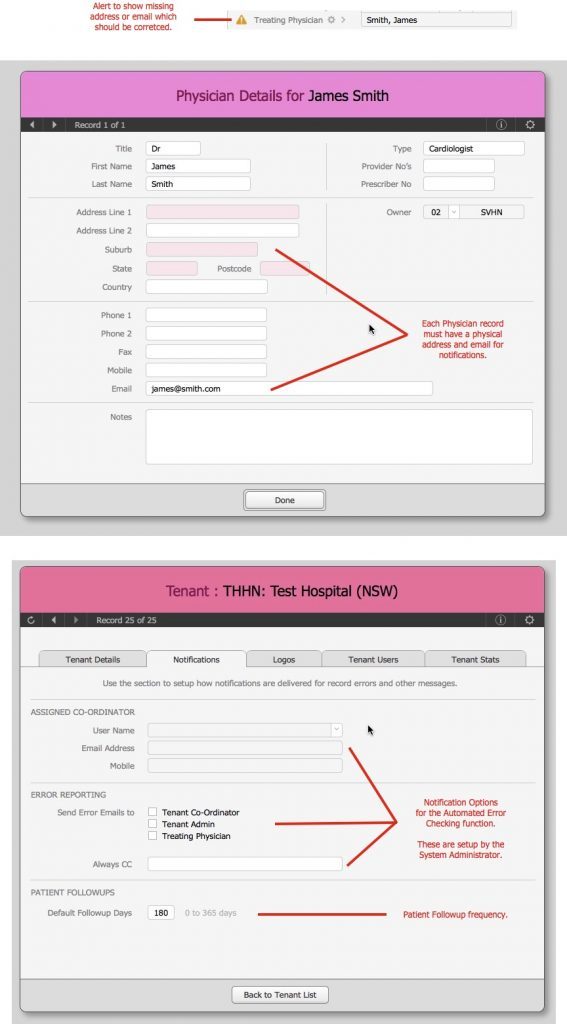
- The Patient record has been coded with the correct Treating Physician
- The linked Physician record has a valid email address (see image below)
- The Tenant (Hospital) record has been setup to notify the appropriate people. Eg: the Tenant Admin, the Patient’s Treating physician or someone else). This process is done by the System Administrator (see image below).
Here’s how it works:
- Every week (currently on a Sunday night), the system will go through each hospitals records and find Patient records with errors (this could also entail missing data in the patient’s sub records – i.e.: missing data from a 6MWT)
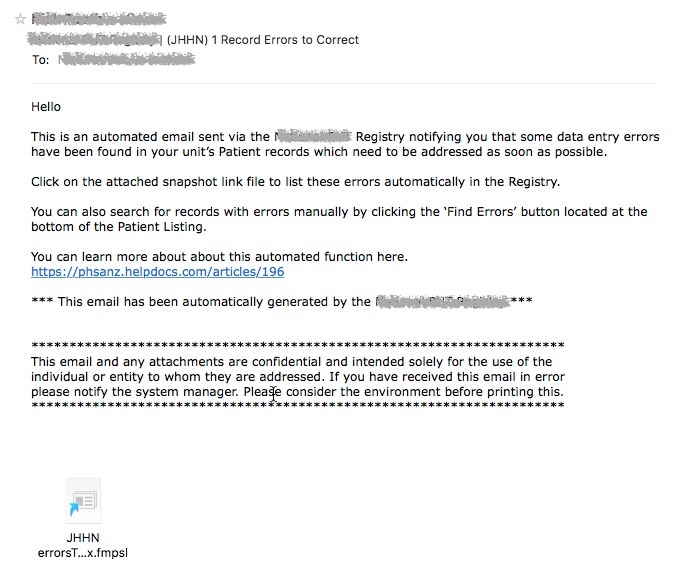
- The records are batched up and each list is sent as a Snapshot Linkvia en email to the corresponding people and rules identified in the Tenant record > Notification setup.
- The email recipient can then quickly find the errors by opening the Snapshot Link’ attachment in the email.
NOTES
- The wording in the Email Templates can be modified by the System Administrator.
- The email snapshot link can only be used by Desktop and iPad users.
– End –