How Can We Help?
Saved Lists and Searches (SLS)
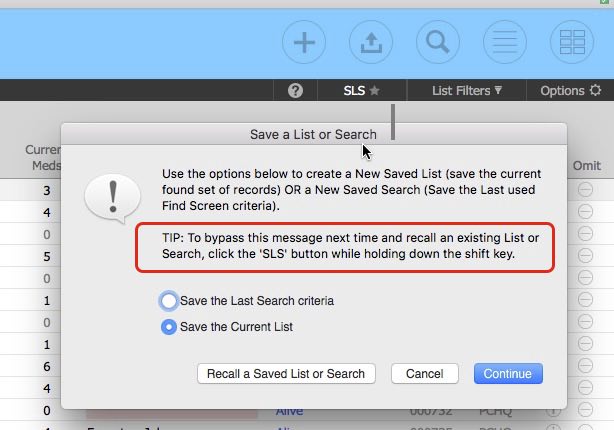
The Saved List and Searches function allows you to :
- Save the currently listed records (a static list)
- Save the Last Search Criteria (the search results are dynamic as records are added or changed.)
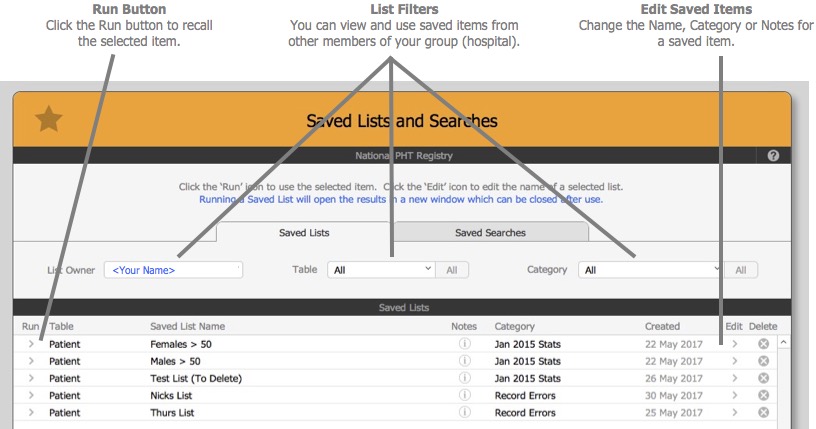
- Recall a previously Saved Lists or Search.
You can access the function by clicking on the SLS button in the top right part of the screen for most lists.
NOTES
- We recommend you add a concise and meaningful name and category when saving your items as it will make it much easier to filter them as your lists grow over time.
- Your Saved Items can be viewed and used by other users within the same group (hospital).
- Saved Lists and Searches can only be used by Desktop Users (No FileMaker Go or WebDirect support)
- The Saved Search recall may not restore correctly if the current field name has changed since the original save.
– End –